Boxlune
Flux Guide
Flux Guide
Couldn't load pickup availability
Self-paced learning overview
- 📥 Digital file available after purchase
- ♾️ Long-term availability
- 🔒 Secure checkout
- 📅 Content updated in 2026
1. Problem Statement
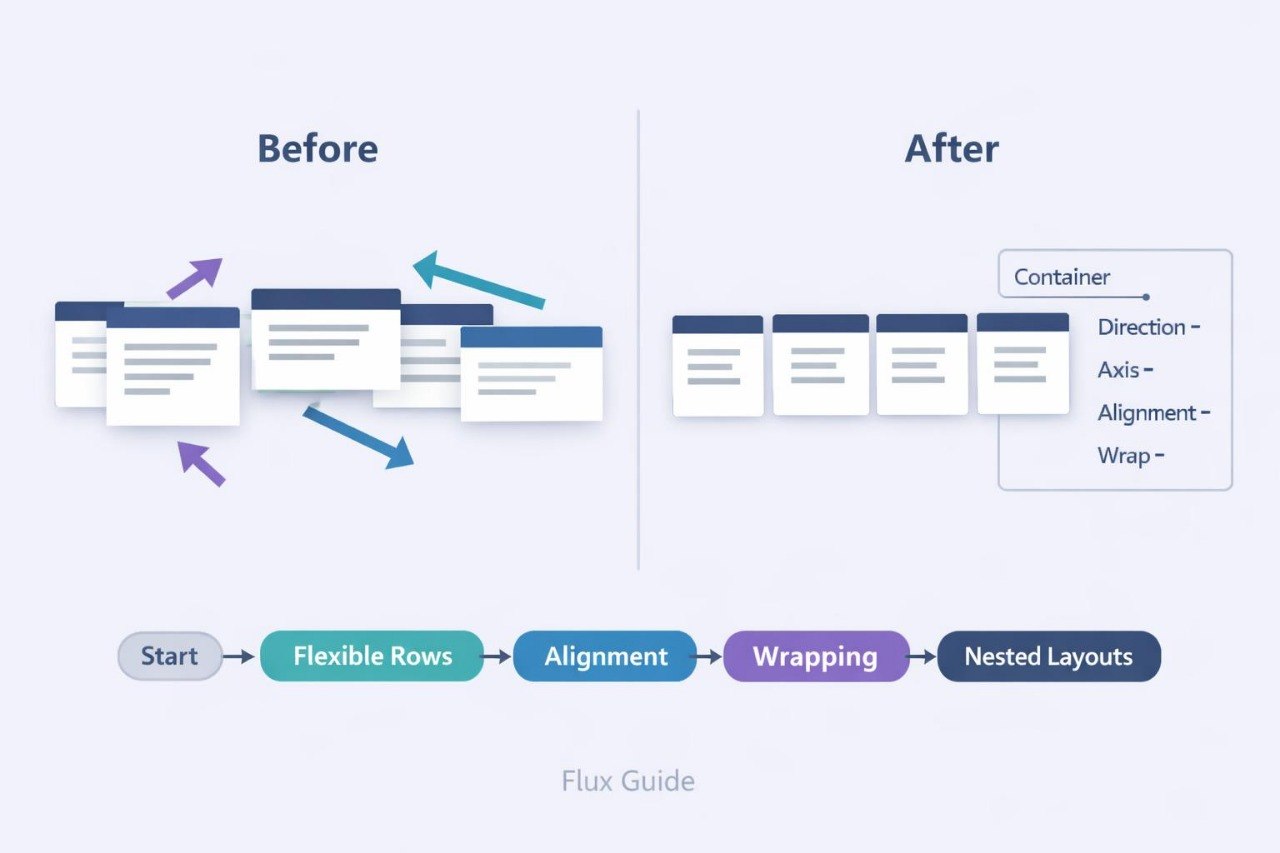
Struggling to build a layout that remains organized when the page width changes? You’re not alone: a row of cards may look orderly at one size but extend beyond its container or create uneven spacing at another. Manually positioning every element often leads to repeated declarations and difficult revisions. Horizontal and vertical alignment can also behave unexpectedly when blocks contain different amounts of text. Flux Guide explains how to create flexible structures where elements follow coordinated layout rules.
2. Solution
This course will teach you how to create CSS compositions with controlled direction and alignment. You will examine how a parent container determines the position and behavior of its child elements. Dedicated modules explain primary and cross axes, gaps, wrapping, resizing, and visual order. Practical assignments cover navigation rows, cards, information panels, and button groups. In the final task, you will build a page where several types of elements adjust their arrangement under defined width conditions.
3. What’s Inside
Module 1: Flexible Container Logic
Learn how a container establishes a shared layout environment for its child elements. The module explains row and column direction, along with the difference between the primary and cross axes.
Module 2: Element Alignment
Work with positioning along both axes. Examples cover centering, distributing unused space, and aligning elements that contain different amounts of content.
Module 3: Gaps and Wrapping
Learn how to create coordinated gaps without adding separate margins to every item. You will also configure cards to move onto another row when the available width changes.
Module 4: Block Size and Behavior
Explore element growth, shrinking, and base dimensions. Assignments demonstrate how several blocks divide the remaining space inside a container.
Module 5: Order and Nested Structures
Learn how to adjust the visual sequence of elements and combine several flexible containers. Examples include cards with internal rows, headings, labels, and action areas.
Module 6: Navigation and Control Panels
Create a navigation row, button group, and compact information panel. The module focuses on consistent gaps and predictable positioning.
Module 7: Final Composition
Combine an opening section, a card row, a text area, and a closing panel. You will review how the composition behaves across several page widths.
4. Who Is This For?
✅ This course may suit you if you:
- already understand foundational CSS rules;
- want to create flexible rows and columns;
- would like to study alignment in more detail;
- work with cards, menus, and button groups;
- want to reduce repeated layout declarations.
❌ This course may not suit you if you:
- have not yet studied the box model;
- are looking only for text styling topics;
- need materials outside the CSS subject area;
- already work regularly with complex flexible compositions.
5. What You’ll Learn
- Create containers with row or column direction.
- Distinguish between primary and cross axes.
- Center elements within a container.
- Distribute unused space between blocks.
- Configure coordinated gaps.
- Move elements onto a new row.
- Control block growth and shrinking.
- Adjust the visual order of elements.
- Combine nested flexible structures.
- Build at least three types of flexible sections.
- Review layout behavior across different page widths.
6. 30-Day Refund Policy
A refund request may be submitted within 30 days, subject to the Boxlune store policy. The request conditions, review procedure, and possible exceptions are described on the refund policy page.
7. Certificate
After completing the required modules and final assignment, the learner may receive a Boxlune certificate. The document confirms completion of the Flux Guide learning program.
1. How is the learning process organized?
1. How is the learning process organized?
The materials are divided into sequential modules with explanations, examples, and practical tasks. Learners can study at their own pace and revisit earlier sections for review.
2. Is previous CSS experience required?
2. Is previous CSS experience required?
The recommended background depends on the selected tier. Introductory courses explain foundational concepts, while later tiers cover broader topics, more detailed layouts, and deeper styling practices.
3. What is included in the learning materials?
3. What is included in the learning materials?
Each tier contains topic-based modules, written explanations, code examples, exercises, and final tasks. The amount and depth of the material increase according to the tier.
4. Is a certificate included?
4. Is a certificate included?
Yes. A Boxlune certificate is provided after the required modules and course assignments have been completed.
Share