Boxlune
Vibe Sphere
Vibe Sphere
Couldn't load pickup availability
Self-paced learning overview
- 📥 Digital file available after purchase
- ♾️ Long-term availability
- 🔒 Secure checkout
- 📅 Content updated in 2026
1. Problem Statement
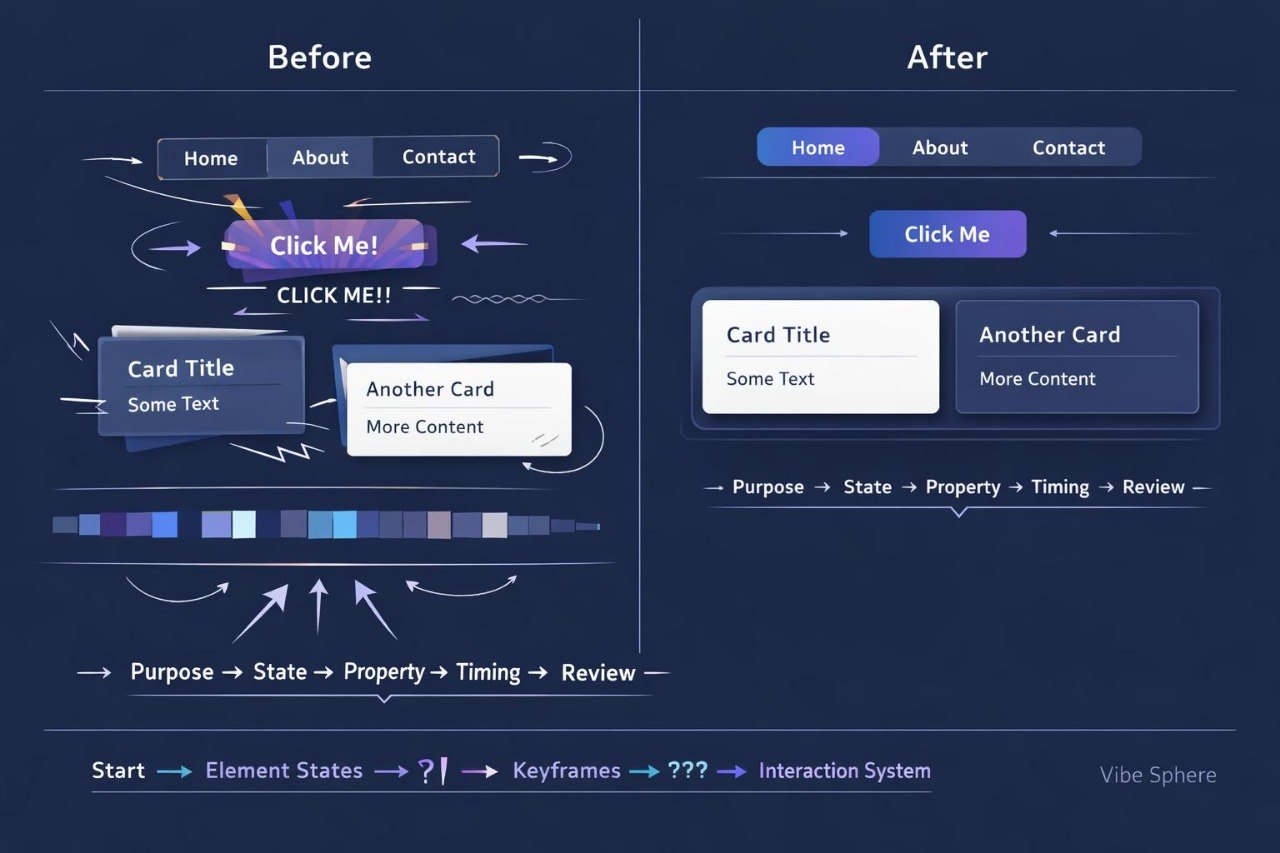
Struggling to add motion that supports the content rather than distracting from it? You’re not alone: transitions may feel abrupt, components may move at unrelated rhythms, and decorative effects may overcrowd the composition. Hover states are sometimes written separately for every element, filling the stylesheet with repeated declarations. Animation can also alter block dimensions and disturb nearby content. Vibe Sphere helps you plan motion as part of a connected web styling system.
2. Solution
This course will teach you how to create controlled transitions, interaction states, and motion sequences with CSS. You will examine which properties can be adjusted to provide a smooth visual response. Dedicated modules explain duration, delay, direction, timing functions, and keyframes. Practical assignments cover buttons, cards, menus, notices, indicators, and decorative elements. In the final assignment, you will build a coordinated motion system for a multi-section page.
3. What’s Inside
Module 1: The Role of Motion in Web Styling
Explore how movement can indicate a state change, draw attention to a specific action, or show a relationship between elements. The module helps separate functional transitions from unnecessary decoration.
Module 2: Element States
Style default, hover, focus, pressed, and inactive states. Examples include buttons, links, fields, and navigation elements.
Module 3: CSS Transition Foundations
Study property selection, transition duration, and delay. You will create several changes involving color, borders, opacity, and position.
Module 4: Timing Functions
Compare different approaches to motion pacing. Assignments demonstrate how the beginning, middle, and ending of a transition affect the behavior of a component.
Module 5: Movement, Scale, and Rotation
Adjust position, size, and angle without rebuilding nearby layout areas. Examples include cards, labels, icons, and decorative shapes.
Module 6: Keyframe Sequences
Create animations containing several stages. The module covers initial and final states, intermediate values, direction, and repetition count.
Module 7: Components With Visual Feedback
Style a button with several states, a card with a moving supporting element, and an information notice. The focus remains on coordinated parameters.
Module 8: Motion in Navigation
Create underlines, active-section markers, and gradual state changes for menu items. Assignments help maintain readable navigation during interaction.
Module 9: Motion Parameter System
Build CSS variables for duration, delay, and timing functions. These values can then be shared by several related components.
Module 10: Final Interaction System
Combine buttons, cards, navigation, notices, and decorative blocks on one page. The final task includes a structured review of motion consistency and element behavior.
4. Who Is This For?
✅ This course may suit you if you:
- already create responsive CSS layouts;
- want to add understandable responses to user actions;
- work with buttons, cards, and navigation;
- would like to organize transition settings;
- want motion to follow an existing style system.
❌ This course may not suit you if you:
- have not yet studied CSS selectors and properties;
- are unfamiliar with the box model;
- need materials outside web styling;
- are looking only for static text formatting.
5. What You’ll Learn
- Distinguish functional motion from decorative motion.
- Style at least five component states.
- Configure transition duration and delay.
- Apply timing functions for different motion rhythms.
- Adjust element position, scale, and rotation.
- Create animations containing several keyframes.
- Reduce repetition through shared CSS variables.
- Form a coordinated set of motion parameters.
- Build at least six components with visual feedback.
- Check whether movement affects nearby layout areas.
- Revise effects that interfere with reading or interaction.
6. 30-Day Refund Policy
A refund request may be submitted within 30 days, subject to the Boxlune store policy. The request procedure, review conditions, and possible exceptions are described on the dedicated refund policy page.
7. Certificate
After completing the required modules and final assignment, the learner may receive a Boxlune certificate. The document confirms completion of the Vibe Sphere learning program.
1. How is the learning process organized?
1. How is the learning process organized?
The materials are divided into sequential modules with explanations, examples, and practical tasks. Learners can study at their own pace and revisit earlier sections for review.
2. Is previous CSS experience required?
2. Is previous CSS experience required?
The recommended background depends on the selected tier. Introductory courses explain foundational concepts, while later tiers cover broader topics, more detailed layouts, and deeper styling practices.
3. What is included in the learning materials?
3. What is included in the learning materials?
Each tier contains topic-based modules, written explanations, code examples, exercises, and final tasks. The amount and depth of the material increase according to the tier.
4. Is a certificate included?
4. Is a certificate included?
Yes. A Boxlune certificate is provided after the required modules and course assignments have been completed.
Share